RM
Ronnie Mbuqe
Author · ExplainItSimply
Published: 15 November 2026
16 minute read
English
Why can an app fail when your internet is fine?
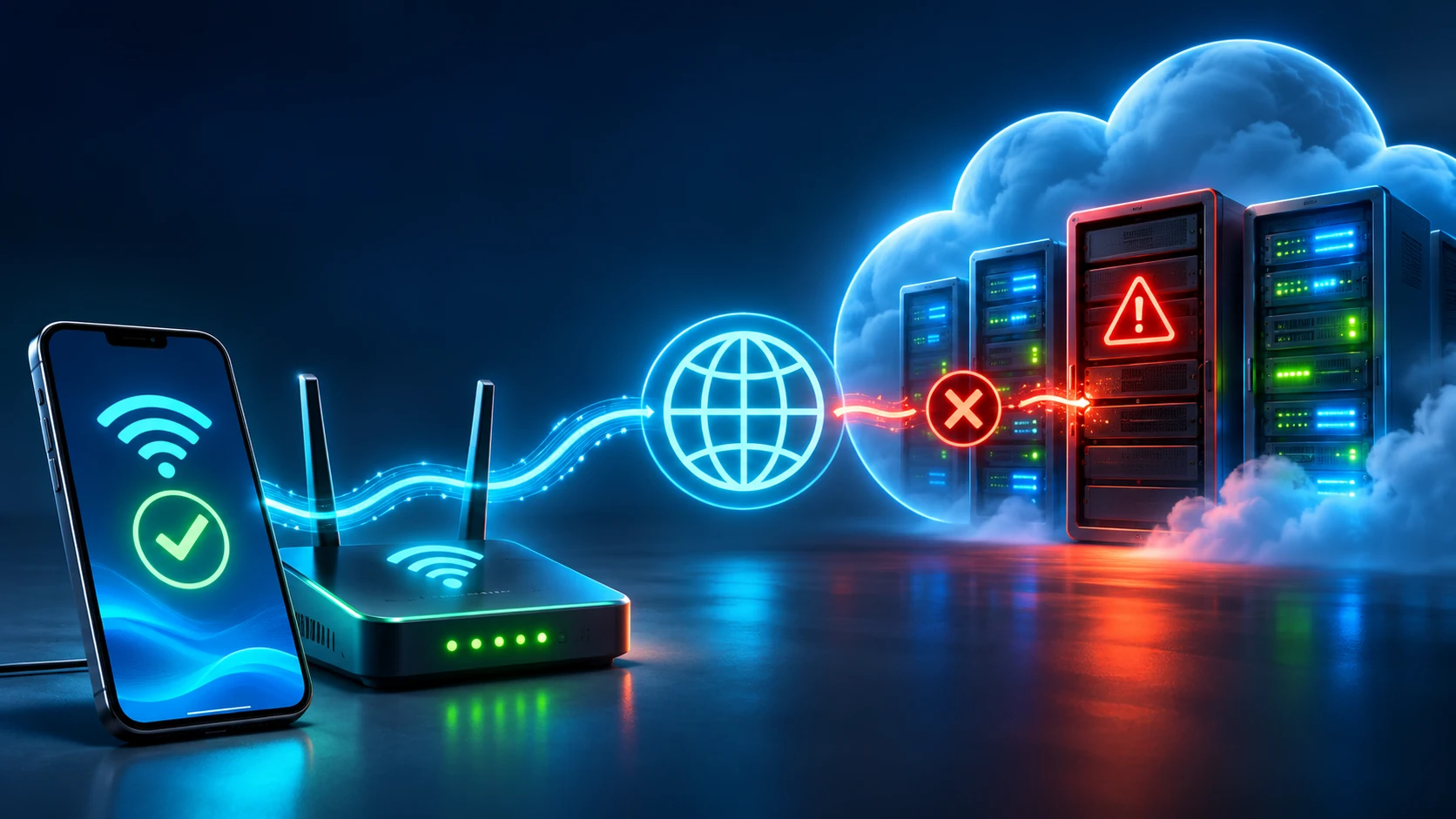
Your phone connects to Wi-Fi. News websites open. Videos play. Yet your email, banking app or messaging service refuses to respond. It feels like your internet has failed, but that is not necessarily what happened.
Your device and the service are separate systems. The internet carries requests between them. If a service cannot process a request, a perfectly good connection cannot make it work. Imagine driving along an open road to a shop whose doors are locked. Your car and the road are fine; the destination cannot serve you.
An online outage is a period when a service becomes unavailable or fails to work as expected. Some outages affect everyone, while others affect only certain regions, accounts or features.
What actually happens after you tap an app?
When you press Send, Search or Pay, your device prepares a request. That request travels through Wi-Fi or a mobile network, across the internet, to the systems that provide the service. Those systems process it and send a response back.
A bank balance request, for example, may need a login check, a banking service and a database. A message may need a delivery service. A streaming video may need a nearby content server. One visible button can depend on several invisible systems.
If the request fails to arrive, if a supporting system cannot answer, or if the reply never reaches your phone, you may see a spinning wheel or an error. These symptoms do not identify the exact cause by themselves.
The journey in five steps
Your device → Wi-Fi or mobile data → Internet networks → Service servers → Response to your device. Any required part of that journey can become unavailable.
What is a server?
A server is a computer or software service that provides information or functions to other computers. Some servers deliver web pages; others check passwords, process payments or retrieve records.
Large online platforms rarely depend on one computer. They divide work among many services and machines. Think of a supermarket: the doors can be open while the tills are down, or the tills can work while the stock system is unavailable.
A server can be powered on and still fail to answer correctly. A software error, a slow database or a broken connection to another service may prevent it from completing its work.
What does the cloud have to do with it?
The cloud is not a mysterious place in the sky. It is a way of using computing resources, often in large data centres, over networks. A company may run its website, database or login service on infrastructure supplied by a cloud provider.
Cloud services can make systems flexible and resilient, but they also create dependencies. Different companies may rely on the same provider for hosting, networking, security or authentication.
If a shared component fails, several otherwise unrelated websites may experience trouble at once. This does not mean every customer of that cloud provider will be affected. The impact depends on which component failed and how each service was built.
How can one problem affect several unrelated apps?
Imagine three independent restaurants inside one shopping centre. They have different owners, menus and staff, but share the same electricity supply. If that supply fails, all three may be affected.
Online platforms can share a similar dependency: a cloud region, an identity provider, a network route, a DNS service or a content-delivery network. A failure in that common layer can produce what looks like many separate outages.
This is why engineers investigate dependencies rather than assuming that every affected application has its own independent fault.
Where can the connection break?
A failure can occur near your device, inside your internet provider, along the route to the service, or inside the service itself. Sometimes the route works but the service cannot process the request.
DNS helps translate service names into network addresses. If that lookup fails, your device may not find the destination. Network routing problems can prevent traffic from reaching it. A login service can fail even though the homepage loads.
The useful question is not only “Is the internet working?” but “Which part of this particular journey is failing?”
Why does a website open but its buttons do nothing?
An application is made of parts. Your browser may load the page layout and images successfully, while a separate system handles logins, searches, bookings or payments.
Think of entering a restaurant with working lights and friendly staff, only to discover that the kitchen is closed. You can enter, but you cannot order.
Similarly, a booking website might show available destinations but fail when you search dates. A banking app might open its home screen but fail when you request your balance. Partial outages are common in complex systems.
What causes online outages?
Common causes include software updates that introduce errors, unusually high traffic, overloaded servers, unavailable databases, failed networking equipment, DNS mistakes, power problems and failures in supporting services.
Security incidents can also cause outages. For example, a distributed denial-of-service attack may flood a service with traffic. But an outage does not automatically mean the provider has been hacked.
The visible error is often only the final symptom. Engineers need monitoring data and system logs to determine what actually failed.
Example: email and meetings stop working
Imagine a worker who can browse news websites but cannot open their email or join an online meeting. Restarting the router does not help.
One possible explanation is an outage in the provider’s login, messaging or meeting infrastructure. If multiple products rely on a common component, they may fail together.
This is a hypothetical example, not a claim about any specific Microsoft, Google or other provider incident. Different incidents have different causes.
Example: a banking payment freezes
You press Pay. The screen spins and displays an error. Did the bank receive the instruction? Possibly. Did the payment succeed? You cannot tell from the error alone.
Sometimes a payment request reaches the bank and is processed, but the confirmation does not return to the phone. Repeating the payment immediately could create an unwanted duplicate if the system does not protect against it.
Check transaction history and payment status before retrying. For uncertain transactions, use the bank’s official support channels. A temporarily unavailable banking app does not automatically mean your account records or money have disappeared.
Example: messages stay pending
You send a message, but it remains pending while other websites work. The messaging service might be unable to accept or deliver messages, or only certain features might be affected.
It is possible for text messages to work while calls, pictures or status updates fail, because those functions can depend on different systems.
This illustrates a general messaging-service outage; it is not a diagnosis of any particular WhatsApp incident.
Why can one person connect while another cannot?
Large services use multiple locations and network routes. Your friend may connect to a working server while your device reaches an affected one.
Differences in internet provider, country, DNS, login session and cached content can change the result. A failure might affect only new sign-ins, a particular region or one feature.
So “it works for me” does not prove there is no outage. It tells us only that one user’s route and feature are currently working.
What do 500, 502, 503 and 504 mean?
Error 500 usually means a server encountered an unexpected problem. Error 502 means a gateway received an invalid response from another server. Error 503 means a service is temporarily unable to handle the request. Error 504 means a gateway waited too long for another system.
Picture a waiter taking an order to a kitchen. The waiter may deliver the order, but the kitchen could respond incorrectly, be unavailable or take too long. The error seen by the customer does not always reveal where the underlying failure began.
These codes are clues, not complete diagnoses. The provider’s logs and incident reports are needed to confirm the root cause.
What happens when engineers repair an outage?
Engineers first identify affected components using monitoring, error logs and reports. They may reverse a recent update, repair a network route, restart a service or redirect traffic to healthy systems.
Recovery may be gradual. Large numbers of users reconnect, queues need processing, and dependent systems need to catch up. An incident may be marked resolved before every user notices normal performance.
Good incident reports explain the impact, cause, response and changes planned to reduce the chance of a repeat.
Does an outage mean your data is gone?
Usually, temporary unavailability and permanent data loss are different things. A library can close for the day without losing its books. In the same way, a service can become inaccessible while its records remain intact.
However, not every system has the same safeguards. An incident can sometimes interrupt writes, delay updates or cause data loss. Only the service provider can confirm the status of affected information.
Avoid treating an error screen as proof that a booking, upload or payment never happened. Check its recorded status.
Can online companies prevent every outage?
Companies build redundancy, backups, monitoring and failover systems. If one server fails, another may take over. Some services operate in multiple data centres or regions.
But backup systems may share a dependency, and unexpected software or configuration errors can affect more than one location. No design can promise that every possible failure will be prevented.
The practical goal is to reduce failures, limit their impact and restore service safely and quickly.
What should you do when an app stops working?
First, try an unrelated website. Then compare Wi-Fi with mobile data if both are available. Check the provider’s official status page and look for confirmed incident notices.
If only one app is affected and the provider reports a widespread incident, repeatedly restarting your router is unlikely to fix the remote system. Avoid repeatedly submitting payments or bookings until you can confirm their status.
Be careful of messages offering an emergency “outage fix”. Use official support links rather than unexpected messages or downloads.
Where can you check service status?
Microsoft Azure, Google Cloud and Amazon Web Services publish service-health information. Many consumer apps and banks also provide official incident notices or support updates.
Public user-reporting sites can reveal patterns, but reports alone cannot establish the cause. Official status pages may also take time to reflect a newly developing problem.
The most reliable approach is to combine your own simple tests with the provider’s published updates.
Why do outages matter so much today?
Work, school, communication, shopping, banking, travel and public services all depend on connected systems. One shared failure can affect many businesses and their customers.
Understanding these dependencies helps people troubleshoot more sensibly and helps businesses plan alternatives for important operations.
An outage is a reminder that an apparently simple tap on a screen may depend on a long chain of computers, networks and services.
The simplest way to remember it
Your phone is the starting point. The internet is the road. The online service is the destination. If something fails along the route—or at the destination—your request may not complete.
Your Wi-Fi can be connected, your phone can be healthy and other websites can still work. That does not guarantee that every online service is available.
The next time an app stops responding, ask which part of the journey might have failed before assuming your own internet is broken.
Frequently asked questions
Does an outage mean the whole internet is down?
No. One service or supporting network can fail while unrelated websites continue working.
Why does my app open but fail when I press Pay?
The interface may load while the payment-processing system is unavailable.
Should I restart my router?
It can help with a local connection fault, but it cannot repair a remote provider outage.
Can my payment succeed even when I see an error?
Yes. Check its status before trying again.
Is every outage a cyberattack?
No. Many are caused by ordinary technical or configuration problems.
Why can a friend use the service while I cannot?
You may use different routes, servers, regions or login sessions.
Sources and further reading
These references explain service health, common server errors and how providers report incidents. The everyday examples above are illustrations, not reports about a particular incident.