 Start here
On This Page You Will Learn
This guide is written for beginners. It starts with the simple idea, then builds toward real-life examples so the topic becomes easier to remember and easier to use.
- What happens behind websites, apps, tills, ATMs and online services
- How code, databases, APIs and servers work together as one system
- How a simple real-life process becomes a step-by-step software workflow
- Why testing, security and maintenance matter after the first version is built
ExplainItSimply learning path
Why does digital confidence matter in almost every career?
This short guide prepares you for the main explanation. It shows the problem, the simple solution and the step-by-step path that makes the topic easier to understand.
?The problem
Many people know qualifications matter, but they are not always taught the practical skills that help them make better choices and work well with others.
!The simple solution
Explain each skill with real situations from school, work, family, technology and everyday decisions.
*Why it matters
When you understand Digital Literacy, you can build confidence for future opportunities and real-life challenges.
Real-life example: A toolbox for life
Think of skills like tools in a toolbox. You may not use every tool every day, but when a problem appears, the right tool helps you handle it better.
How the idea builds up
- Start with the situation you need to handle.
- Identify the skill that helps.
- Use a simple example from real life.
- Practise the skill in small moments.
- Use what you learn to make better decisions.
Remember this: A topic becomes easier when it is explained in order and connected to something familiar.
In Simple Terms
Did you know?
Many strong careers are built by combining skills, not by relying on only one qualification.
ExplainItSimply makes complex topics easy to understand. Learn about artificial intelligence, education, careers, money, credit, budgeting, investing, and essential life skills through clear explanations, real-world examples, and practical guides designed for everyday people.
Core Digital Skills
Did you know?
Communication, problem solving, reliability, and learning ability remain valuable even when technology changes.
-
Online safety & security: Recognize scams, protect passwords, and manage privacy settings.
-
Productivity tools: Use word processors, spreadsheets, email, and collaboration tools efficiently.
-
Information literacy: Evaluate sources, fact-check, and avoid misinformation.
-
Communication: Email etiquette, video conferencing, and professional online presence.
-
Digital collaboration: Cloud tools, project management platforms, and teamwork software.
-
Creative tools: Basic image/video editing, design, and content creation for personal or professional use.
Why It Matters
Almost every job today requires some level of digital competency. Those who master digital literacy are more adaptable, productive, and valuable in the modern workforce.
Staying Safe Online
Did you know?
A career path is rarely a straight line. Many people discover better options after trying real work.
Protect yourself from cyber threats and maintain privacy by following simple practices:
- Use strong, unique passwords and a password manager.
- Enable two-factor authentication wherever possible.
- Regularly update software to patch security vulnerabilities.
- Be cautious with links and emails from unknown sources.
- Understand your digital footprint and control what you share.
Learning Digital Literacy
Did you know?
Communication, problem solving, reliability, and learning ability remain valuable even when technology changes.
You can improve your digital skills through:
- Online courses (Coursera, LinkedIn Learning, Khan Academy)
- Practice projects: create documents, spreadsheets, or simple websites
- Follow tech blogs, forums, and YouTube tutorials
- Participate in online communities to learn collaboratively
- Teach others — explaining concepts solidifies your understanding
Digital Skills for Career Growth
Did you know?
Many strong careers are built by combining skills, not by relying on only one qualification.
Employers highly value digital literacy:
- Automation and AI tools proficiency
- Data management and analytics basics
- Remote work tools and collaboration platforms
- Cybersecurity awareness
- Digital problem-solving and innovation mindset
 Go deeper
How to understand Digital Literacy clearly
Did you know?
Many strong careers are built by combining skills, not by relying on only one qualification.
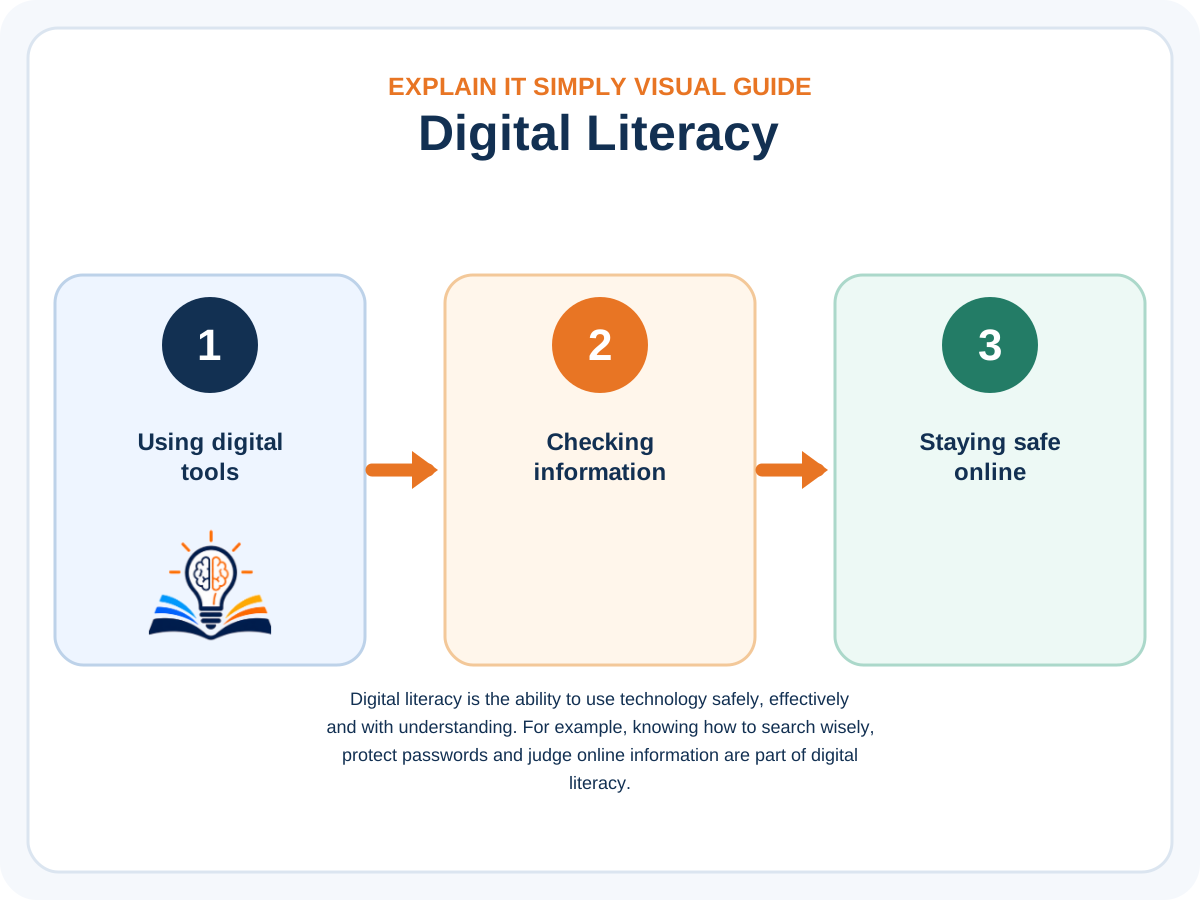
Digital literacy matters because everyday life now depends on phones, websites, online services and digital information. It helps you use these tools confidently, protect yourself and decide which information can be trusted.
A helpful way to learn this topic is to connect it to something familiar. Instead of memorising terms first, start by asking: what is moving, what is changing, what is causing it, and why does it matter in real life? That simple question turns a difficult subject into a story you can follow.
On ExplainItSimply, the goal is not to make you sound technical. The goal is to help you understand the idea well enough to explain it to someone else. When you can explain digital literacy using your own words and a normal example, the topic has started to make sense.
What you will learn on this page
- You will understand how digital literacy connects to real work and real decisions.
- You will learn how to think about skills, education, experience, confidence, and opportunity in a practical way.
- You will see why soft skills and technical skills both matter in a changing world.
- You will get examples that help you compare choices without feeling lost.
- You will finish with clearer next steps for personal growth or career planning.
The ExplainItSimply promise for this topic
No jargon for the sake of sounding clever. No confusing shortcuts. This page explains digital literacy with plain language, real examples, and clear connections so you can use the idea, remember it, and continue learning with confidence.
Why this page matters
This page matters because being able to open an app is not the same as understanding the digital world. Digital literacy helps you recognise scams, protect personal information, evaluate online claims and use technology to solve real problems.
What you will learn about Digital Literacy
You will learn the main parts of digital literacy: using devices and software, finding reliable information, communicating online, protecting privacy and adapting to new tools. You will also see how these skills appear at school, at work and in ordinary daily tasks.
Digital Literacy in an Ordinary Day
Digital literacy appears in small decisions throughout the day. It is present when you decide whether a message is a scam, choose a strong password, compare two online sources or check what permissions an app requests.
For example, imagine receiving a message that says your bank account will be closed unless you click a link immediately. A digitally literate person pauses, checks the sender, avoids the link and contacts the bank through an official channel. The skill is not only knowing how to use the phone; it is knowing how to judge the situation safely.
These habits also matter at work and school. Clear email communication, organised files, responsible use of shared documents and careful handling of personal information all form part of digital literacy.
Deeper Explanation
Did you know?
Communication, problem solving, reliability, and learning ability remain valuable even when technology changes.
How to understand this topic
The best way to understand this topic is to begin with the everyday problem it solves. Once the problem is clear, the details become easier to follow because each part has a purpose. This guide keeps that structure by explaining the idea first, then connecting it to practical examples.
Why simple explanations help
Simple explanations do not mean shallow explanations. They mean the topic is organised in a way that makes sense. When the language is clear and the examples are familiar, readers can understand the idea more deeply and remember it for longer.
Simple learning promise
For this digital-literacy guide, the promise is to explain each skill through familiar situations. You will see how to use technology productively, protect yourself online and make better decisions about the information you see.
A Practical Example
Did you know?
A career path is rarely a straight line. Many people discover better options after trying real work.
Imagine you are explaining Digital Literacy to someone who has never heard the idea before. You would not begin with technical words. You would begin with a picture, a story, or a familiar comparison. That is how this page is written: it starts from the simplest useful idea and then builds slowly so the reader does not feel lost.
A useful explanation should answer the reader's first question, provide enough context to understand the full idea and then point naturally to the next topic. That creates a learning journey instead of a collection of disconnected facts.
Common Questions
Did you know?
Many strong careers are built by combining skills, not by relying on only one qualification.
Is this guide written for beginners?
Yes. This guide is written for readers who want to understand Digital Literacy without needing expert knowledge first. It uses plain English and builds the explanation step by step.
Why does the page use longer paragraphs?
Longer paragraphs allow the idea to breathe. Instead of throwing disconnected bullet points at the reader, the page explains the thinking in full sentences so the topic feels more natural and complete.
What should I read next?
Use the related reading cards below or the menu at the top of the page. The best next page is usually one from the same category, because related topics strengthen each other.
Read More on ExplainItSimply
Did you know?
A career path is rarely a straight line. Many people discover better options after trying real work.
Learning is easier when related topics connect. These guides continue the journey and help visitors spend more time exploring useful pages on the site.
Turn curiosity into clarity
Did you know?
A career path is rarely a straight line. Many people discover better options after trying real work.
One clear explanation can make a difficult topic feel easier. Keep going and discover the next simple guide.
Continue Learning
Continue learning in simple English
Now that you have started understanding Digital literacy, keep going. The next page will help you connect this idea to another useful topic.
Overview
Skills Explained
Read blogs
Where you will see this in real life
This topic is easier to remember when it connects to everyday life. Here are a few familiar situations where this idea becomes visible in everyday life.
Work
Employers value people who communicate clearly and solve problems calmly.
Interviews
Real examples show your skills better than simply saying you have them.
Digital Tools
Confidence with technology helps you adapt as workplaces change.
Teamwork
Most careers require people to share ideas and work toward common goals.
Frequently Asked Questions
Questions about Digital Literacy
These questions answer the things beginners usually wonder about after reading this page. Open each question to see a simple, direct explanation.
Why are skills important?
Skills help people solve problems, communicate, adapt and create value at work and in daily life.
Do I need university for every career?
No. Some careers need university, while others grow through practical training, experience, portfolios and trade skills.
What skills matter in an AI world?
Critical thinking, communication, digital literacy, problem solving and adaptability are especially important.
How can I choose a career?
Start with your strengths, interests, values and the kind of problems you enjoy solving.
Go deeper
More real-life examples and practical understanding
Software development is the process of turning a real-world need into instructions that a computer can follow. Think about a point-of-sale till in a shop. The cashier scans bread, milk and airtime. The screen shows the price, the stock system records the sale, the payment device talks to the bank, the receipt prints and the manager later sees a report. To the customer it looks simple, but behind the counter several parts are working together: user interface, business rules, database, API, security and reports.
Why this matters
When a topic connects to something familiar, it becomes easier to understand. ExplainItSimply uses everyday examples so readers do not have to memorise difficult words before they understand the idea.
Simple system diagram: from customer action to result
- A person does something on a screen, such as clicking, scanning or typing.
- The front-end sends the request to the back-end.
- The back-end checks rules such as price, stock, permission or payment status.
- An API may connect to another system, such as a bank, map service or email service.
- The database stores or retrieves the correct information.
- The result comes back to the user as a message, receipt, booking, report or confirmation.
Quick recap
You Have Learned This
You have learned the main idea behind Digital Literacy, why it matters and how it appears in real life. You have also seen that difficult topics become easier when they are explained step by step with practical examples.
Remember this
The goal is not to memorise big words. The goal is to understand the idea well enough to explain it to someone else in simple language.