RM
Ronnie Mbuqe
Author · ExplainItSimply
30 July 2026
24 minute read
English
 The question behind the moment
One glance can trigger sensing, measuring, comparison and security checks in less than a second.
We will follow the real journey, use familiar comparisons and connect every answer to the next question.
One glanceYour phone opens before the moment feels long enough for a security check
You lift the phone, look at the screen and it unlocks. The speed makes the process feel like simple recognition: the phone “saw” you.
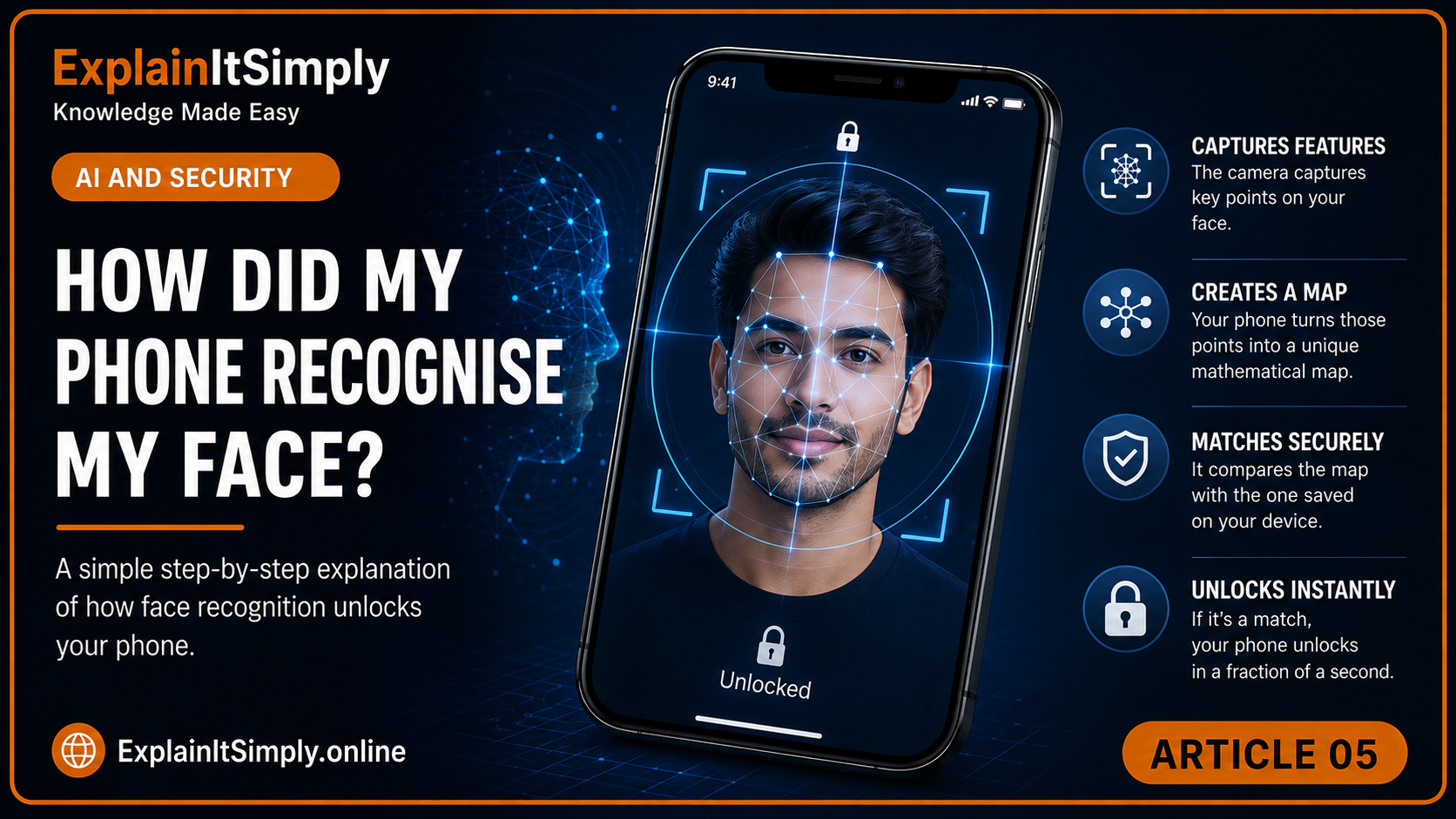
Behind that moment, the device may have captured depth or infrared information, measured facial features, compared a mathematical template and checked for signs that a real person is present.
Real-life scene · A familiar doormanRecognition is not the same as remembering a photograph
A doorman can recognise a resident despite a haircut, different glasses or a change of clothing. The decision comes from several stable features instead of one perfect photograph.
A face-unlock system also needs flexibility. Your expression, lighting and angle change every day, but the important facial relationships remain similar.
During setupThe phone creates a protected facial template
When face unlock is configured, the device captures facial information from more than one angle. It identifies useful measurements and relationships, then stores a mathematical representation instead of relying on a normal portrait alone.
That template becomes the reference for future comparisons.
Follow the unlockWhat happens after you lift the phone?
1Sensors capture the face
The system gathers an image and, on supported devices, depth or infrared information.
2The face is located
Software separates the face from the surrounding scene.
3Features become measurements
Relationships between facial areas are represented numerically.
4The new scan is compared
The device calculates how closely it matches the stored template.
5Security rules decide
A strong enough match unlocks the device; an uncertain result requests another attempt or passcode.
Why can't someone simply hold up your picture?
More secure systems use liveness or anti-spoofing checks. They may consider depth, infrared detail, eye attention or subtle movement. A flat photograph cannot reproduce every three-dimensional property of a living face.
Everyday comparisonA cardboard cut-out at the door
A doorman would not accept a life-size cardboard picture as the resident because it lacks movement, depth and natural response. Liveness checks try to notice the digital equivalent.
Real faces changeWhat about glasses, a beard, ageing or poor light?
The system is designed to tolerate reasonable variation. It compares a pattern, not a single frozen image. However, major changes, covered features or difficult lighting can reduce confidence.
Security thresholds matter. A stricter threshold reduces false matches but may reject the real owner more often. A looser threshold is convenient but less secure.
A face becomes numbersYour phone does not need to remember your face the way a person does
During setup, the device measures distinctive relationships: spacing between features, depth, contours and other patterns that remain fairly stable. It converts these measurements into a mathematical template. Later, a fresh scan is converted in the same way and compared with the stored template.
This matters because the system is not asking, “Who is this person in a human sense?” It is asking, “Is this new measurement close enough to the enrolled measurement under the allowed security rules?”
Key comparisonA house key is not a picture of the lock
The shape of the key contains the measurements needed to fit the lock. A facial template similarly contains useful measurements for matching without functioning as an ordinary portrait displayed in a photo gallery.
Your face is never exactly the sameHow can it recognise you with glasses, a haircut or morning eyes?
A secure system must allow normal variation without becoming so flexible that another person is accepted. Lighting changes shadows. Glasses cover features. A beard changes the lower face. The camera angle and distance are never identical.
Good matching systems focus on multiple stable relationships and may update their understanding gradually after successful unlocks. They also know when confidence is too low. That is why the phone sometimes asks for the passcode even though you are certain that you still look like yourself.
💡
Lighting
Bright sun, darkness and backlighting alter the visible image.
👓
Accessories
Glasses, hats and masks hide or change some clues.
📐
Angle
The face may be tilted, closer or farther from the sensor.
🙂
Expression
Smiling, talking or tired eyes change shapes temporarily.
Why is face unlock suitable for one action but not always enough for another?
Unlocking the screen, approving a large payment and changing a banking password do not carry the same risk. A system may accept face recognition for ordinary access but require a passcode, app confirmation or additional factor for a more sensitive action.
Security improves when different factors are combined: something you are, something you know and something you possess. Face recognition is useful because it is convenient, but convenience should sit inside a wider security design.
💳From identity to paymentWhat other clues does a bank use when deciding whether a transaction is yours?Follow the payment request and the risk checks behind an approval.→
What should you remember?
- Face unlock compares a new scan with a stored mathematical template.
- It needs to allow ordinary changes while remaining strict enough for security.
- Liveness checks help distinguish a real face from a photograph or imitation.
- The final result is a confidence decision, not human-style recognition.
Keep exploringOne answer opens another door
The system you have just followed depends on other systems. Choose the next hidden story.
The next time...
The next time one glance unlocks your phone, remember that the device may have completed sensing, measuring, comparing and anti-spoofing checks before the screen finished lighting up.
Ordinary moment. Extraordinary story.
One more question before you goThe camera saw your face, but what else happens every time it takes a photograph?
The same camera used for recognition may capture several exposures, measure movement and combine information before showing you one final image.
📷Continue the curiosity journeyWhy Did My Camera Take Several Photos?Follow one shutter tap through exposure, alignment, processing and the final photograph.→
🤔 The Next Time...
The next time your phone unlocks when it sees you
A camera, mathematical facial map and security rules may have completed their work before the screen opened.What exactly did the phone compare before deciding that the face was really yours?